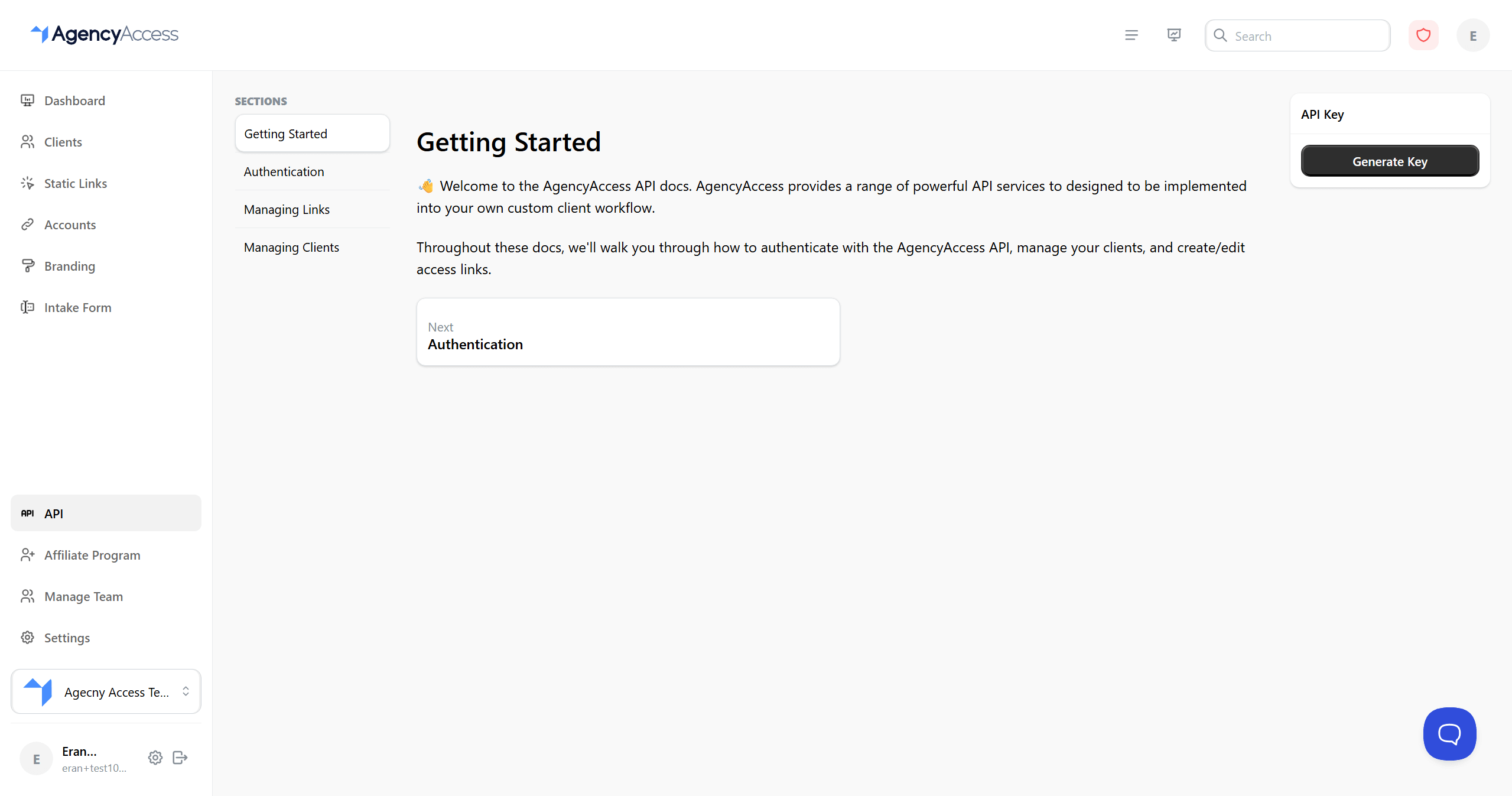
This guide explains how to use the AgencyAccess API to programmatically manage clients, create access links, and automate your workflow.
Overview
The AgencyAccess API allows you to:

- Create and manage clients programmatically
- Create, update, and retrieve access links
- Automate link creation workflows
- Integrate with your existing systems
- Build custom applications
API Authentication
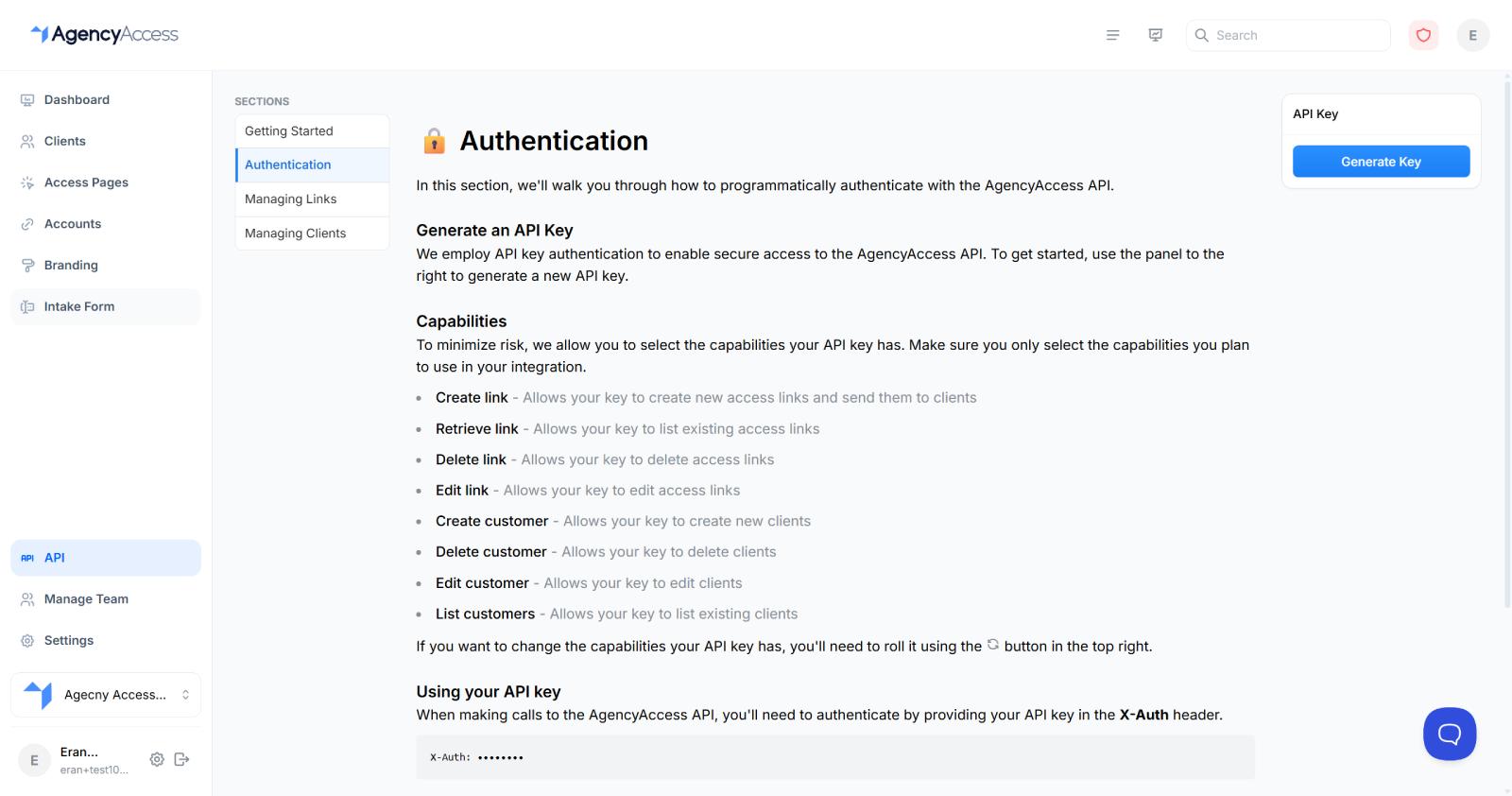
Generating an API Key
- Navigate to Dashboard → API → Authentication
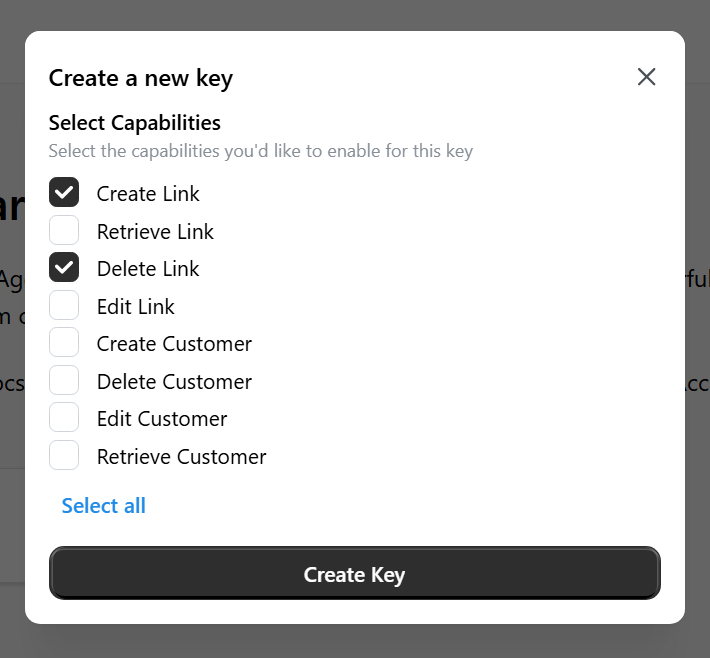
- Review API capabilities (see Capabilities section below)
- Select the capabilities your API key should have
- Click "Generate API Key"
- Important: Copy and save your API key immediately - it won't be shown again
- Store the key securely

Using Your API Key
Include your API key in the X-Auth header of all API requests:
X-Auth: your-api-key-hereExample (using curl):
curl -X POST https://api.agencyaccess.co/api/links/create \
-H "X-Auth: your-api-key-here" \
-H "Content-Type: application/json" \
-d '{"clientID": "xxx", ...}'API Key Security
- Never share your API key: Treat it like a password
- Store securely: Use environment variables or secure storage
- Rotate regularly: Regenerate keys if compromised
- Use minimal capabilities: Only grant capabilities you actually need
Rolling Your API Key
If your key is compromised or you need to rotate it:
- Go to Dashboard → API → Authentication
- Click the refresh/regenerate icon
- Confirm regeneration
- Important: Update all systems using the old key
- Old key is immediately invalidated
API Capabilities
When generating an API key, you can select specific capabilities to limit what the key can do:
Available Capabilities
- Create Link: Create new access links
- Retrieve Link: Get information about existing links
- Edit Link: Update existing links
- Create Customer: Create new clients
- Retrieve Customer: Get information about a specific client
- Edit Customer: Update client information
Best Practice: Only select capabilities you actually need to minimize risk.
API Base URL
All API requests should be made to:
https://api.agencyaccess.coAPI Endpoints
Creating a Link
Create a new access link for a client.
Endpoint: POST /api/links/create
Request Body:
{
"clientID": "string (required)",
"requestedAccounts": {
"Google": {
"Google Ads": {
"accessLevel": "ADMIN",
"requested": true,
"requestedAccountLinks": [
{
"internalAccountID": "your-linked-account-id"
}
]
}
}
},
"intakeForm": true,
"sendEmail": false,
"thankYouMessage": "Thank you for granting access",
"redirect": "yourwebsite.com"
}Response:
{
"error": false,
"data": "link-id-here"
}Field Reference:
- clientID (string, required): The ID of the client to send the link to
- requestedAccounts (object, required): Object mapping platforms to services configuration
- Platform (e.g., "Google", "Meta"): Object containing services for that platform
- Service (e.g., "Google Ads", "Meta Ads"): Service configuration object
- accessLevel (string): Required access level (e.g., "ADMIN", "READ_ONLY")
- requested (boolean): Whether to request this service
- requestedAccountLinks (array): Array of account links to use
- internalAccountID (string): Your linked account's internal ID
- googleAdsMCCAccountID (string, optional): For Google Ads MCC, the MCC account ID
- intakeForm (boolean, optional): Include intake form in the link
- sendEmail (boolean, optional): Automatically send invitation email
- thankYouMessage (string, optional): Message shown after client completes
- redirect (string, optional): URL to redirect client after completion (without https:// prefix)
- retainTokens (boolean, optional): Retain access tokens for 30 days (default: false). Tokens will be sent to your Zapier integration and viewable on the dashboard.
Note: Use the Requested Services Builder in the API documentation to help construct the requestedAccounts object.
Updating a Link
Update an existing access link's requested accounts.
Endpoint: POST /api/links/update
Request Body:
{
"id": "link-id-here",
"requestedAccounts": {
"Google": {
"Google Ads": {
"accessLevel": "ADMIN",
"requested": true,
"requestedAccountLinks": [
{
"internalAccountID": "your-linked-account-id"
}
]
}
}
}
}Response:
{
"error": false,
"data": "link-id-here"
}Field Reference:
- id (string, required): The ID of the link to update
- requestedAccounts (object, required): Updated requested accounts (same format as create)
Important Notes:
- You can only update
requestedAccounts- thank you message and redirect URL cannot be changed after link creation - If you specify services that were already granted, the client will be asked to grant access again
- If you change access levels or account links for already-granted services, the client will need to grant access again
- The API endpoint does not support
sendUpdateEmailparameter (this is only available in the UI)
Retrieving a Link
Get information about an existing access link.
Endpoint: GET /api/links/retrieve
Query Parameters:
- id (string, required): The ID of the link to retrieve
Response:
{
"error": false,
"data": {
"id": "link-id",
"cc": [
{
"name": "John Doe",
"email": "john@example.com"
}
],
"clientID": "client-id",
"created": 1741951170010,
"lastReminderTimestamp": 1741951170010,
"requestedAccounts": {
"Google": {
"Google Ads": {
"accessLevel": "Admin",
"requested": true,
"granted": true,
"skipped": false,
"requestedAccountLinks": [
{
"internalAccountID": "account-id",
"googleAdsMCCAccountID": "mcc-id"
}
]
}
}
},
"intakeForm": {
"requested": true,
"complete": true
},
"redirect": "yourwebsite.com",
"staticLinkRef": "static-link-id",
"thankYouMessage": "Thank you for granting access!",
"retainTokens": false
}
}Field Reference:
- id: Link identifier
- cc: Array of CC recipients (name and email)
- clientID: Associated client ID
- created: Unix timestamp (milliseconds) of creation
- lastReminderTimestamp: Unix timestamp of last reminder sent
- requestedAccounts: Object of platforms containing services with grant status
- granted (boolean): Whether access has been granted
- skipped (boolean): Whether the client skipped this service
- intakeForm: Intake form status object
- requested (boolean): Whether intake form was requested
- complete (boolean): Whether intake form has been completed
- redirect: Redirect URL (without https:// prefix)
- staticLinkRef: Reference to static link if created from one
- thankYouMessage: Thank you message shown after completion
- retainTokens: Whether tokens are retained for 30 days
Creating a Client
Create a new client.
Endpoint: POST /api/clients/create
Request Body:
{
"name": "John Doe",
"email": "john@example.com",
"company": "Example Corp",
"website": "https://example.com",
"language": "English",
"metadata": {
"customField1": "value1",
"customField2": "value2"
}
}Response:
{
"error": false,
"data": "client-id-here"
}Field Reference:
- name (string, required): Client's full name
- email (string, required): Client's email address
- company (string, optional): Company name
- website (string, optional): Client's website URL
- language (string, required): Preferred language ("English", "Spanish", or "Dutch")
- metadata (object, optional): Custom key-value pairs (values must be strings)
Retrieving a Client
Get information about a specific client.
Endpoint: GET /api/clients/retrieve
Query Parameters:
- id (string, required): The ID of the client to retrieve
Response:
{
"error": false,
"data": {
"id": "client-id",
"name": "John Doe",
"email": "john@example.com",
"company": "Example Corp",
"website": "https://example.com",
"language": "English",
"type": "Client",
"created": 1741951170010,
"metadata": {}
}
}Updating a Client
Update client information.
Endpoint: POST /api/clients/update
Request Body:
{
"id": "client-id",
"name": "John Doe Updated",
"email": "john.new@example.com",
"company": "New Company Name",
"website": "https://newwebsite.com",
"language": "Spanish",
"metadata": {
"updatedField": "newValue"
}
}Response:
{
"error": false,
"data": "client-id"
}Building Requested Accounts
The requestedAccounts object can be complex. Use the Requested Accounts Builder in the API documentation:
- Go to Dashboard → API → Managing Links
- Use the interactive builder to select platforms and services
- Configure access levels and account links
- Copy the generated JSON
- Use it in your API requests
Error Handling
All API endpoints return a consistent error format:
{
"error": true,
"msg": "Error message describing what went wrong"
}Common HTTP Status Codes:
- 200: Success
- 400: Bad Request (invalid parameters)
- 401: Unauthorized (invalid or missing API key)
- 403: Forbidden (API key lacks required capability)
- 404: Not Found (resource doesn't exist)
- 409: Conflict (e.g., intake form disabled)
- 500: Server Error
Error Response Example:
{
"error": true,
"msg": "Please provide a valid clientID"
}Rate Limits
API requests are subject to rate limiting:
- Check response headers for rate limit information
- Implement exponential backoff for retries
- Contact support if you need higher limits
Best Practices
- Secure Your Key: Never commit API keys to version control
- Use Environment Variables: Store keys in environment variables
- Handle Errors: Always check the
errorfield in responses - Validate Input: Validate data before sending API requests
- Test First: Test with a single request before automating
- Monitor Usage: Track your API usage and limits
- Use Webhooks: Consider webhooks for real-time updates (if available)
Example Integrations
Zapier Integration
Use AgencyAccess with Zapier:
- Set up Zapier integration in your dashboard
- Use Zapier triggers and actions
- Access intake form data via
client.intakeForm.{question_key}
Custom Application
Example Python script to create a link:
import requests
API_KEY = "your-api-key"
API_BASE = "https://api.agencyaccess.co"
headers = {
"X-Auth": API_KEY,
"Content-Type": "application/json"
}
data = {
"clientID": "client-id-here",
"requestedAccounts": {
"Google": {
"Google Ads": {
"accessLevel": "ADMIN",
"requested": True,
"requestedAccountLinks": [
{"internalAccountID": "account-id"}
]
}
}
},
"sendEmail": True
}
response = requests.post(
f"{API_BASE}/api/links/create",
headers=headers,
json=data
)
result = response.json()
if not result.get("error"):
print(f"Link created: {result['data']}")
else:
print(f"Error: {result['msg']}")Troubleshooting
Authentication Errors
Issue: 401 Unauthorized
Solutions:
- Verify API key is correct
- Check
X-Authheader is included - Ensure key hasn't been regenerated
- Verify key has required capabilities
Invalid Request Errors
Issue: 400 Bad Request
Solutions:
- Validate all required fields are present
- Check data types match expected formats
- Verify client IDs and account IDs exist
- Review error message for specific issues
Capability Errors
Issue: 403 Forbidden
Solutions:
- Check API key has required capability
- Regenerate key with correct capabilities
- Verify you're using the right endpoint
Link Creation Fails
Issue: Cannot create link
Solutions:
- Verify client exists and belongs to your agency
- Check requested services are valid
- Ensure linked accounts are still active
- Verify you haven't reached link limits
- Check intake form is enabled if including it
Next Steps
After setting up API access:
- Test with a simple request
- Build your integration
- Set up error handling
- Monitor API usage
- Explore webhooks (if available)
For more information, see: