

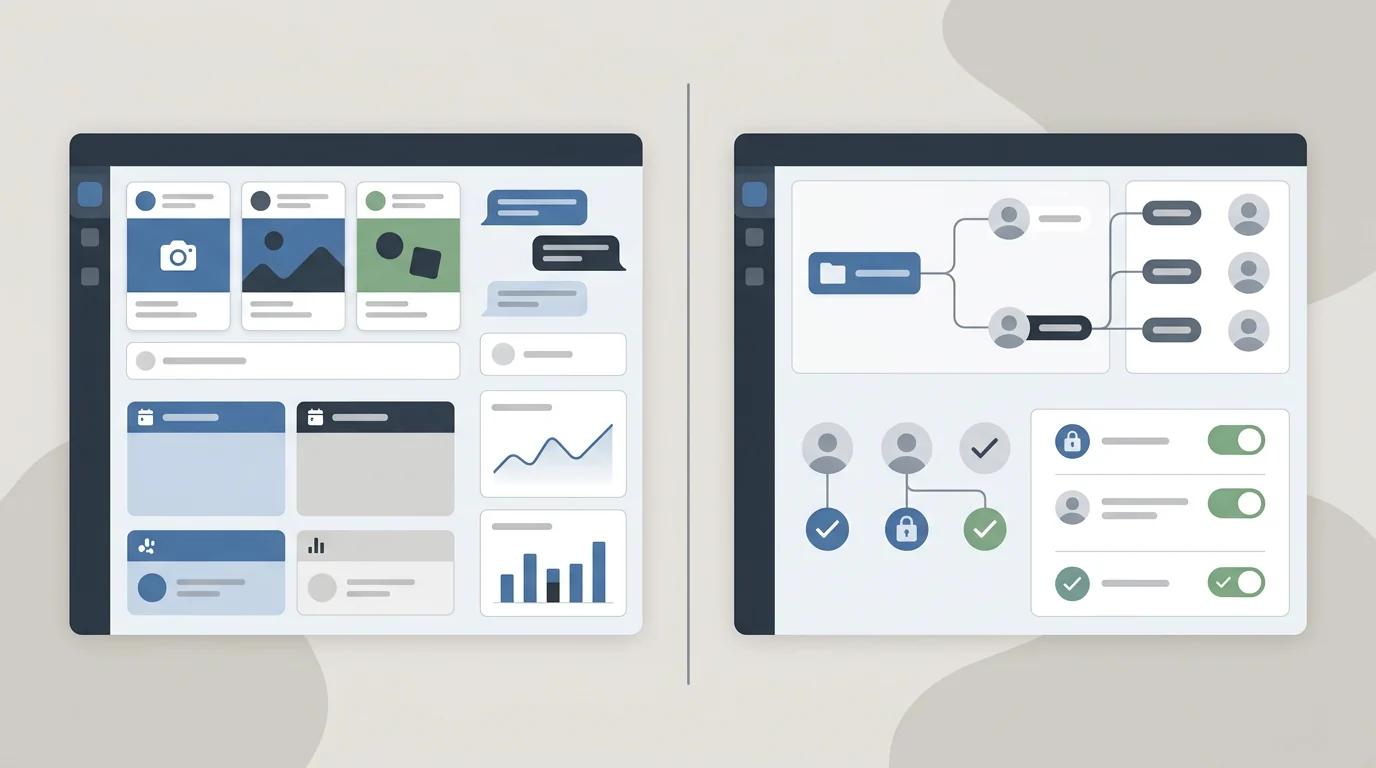
Meta has two business tools with names that sound almost interchangeable, but they are used for different parts of the account. That is why so many people get stuck when they try to give an agency access, run ads, or work out who actually owns a Page or ad account.
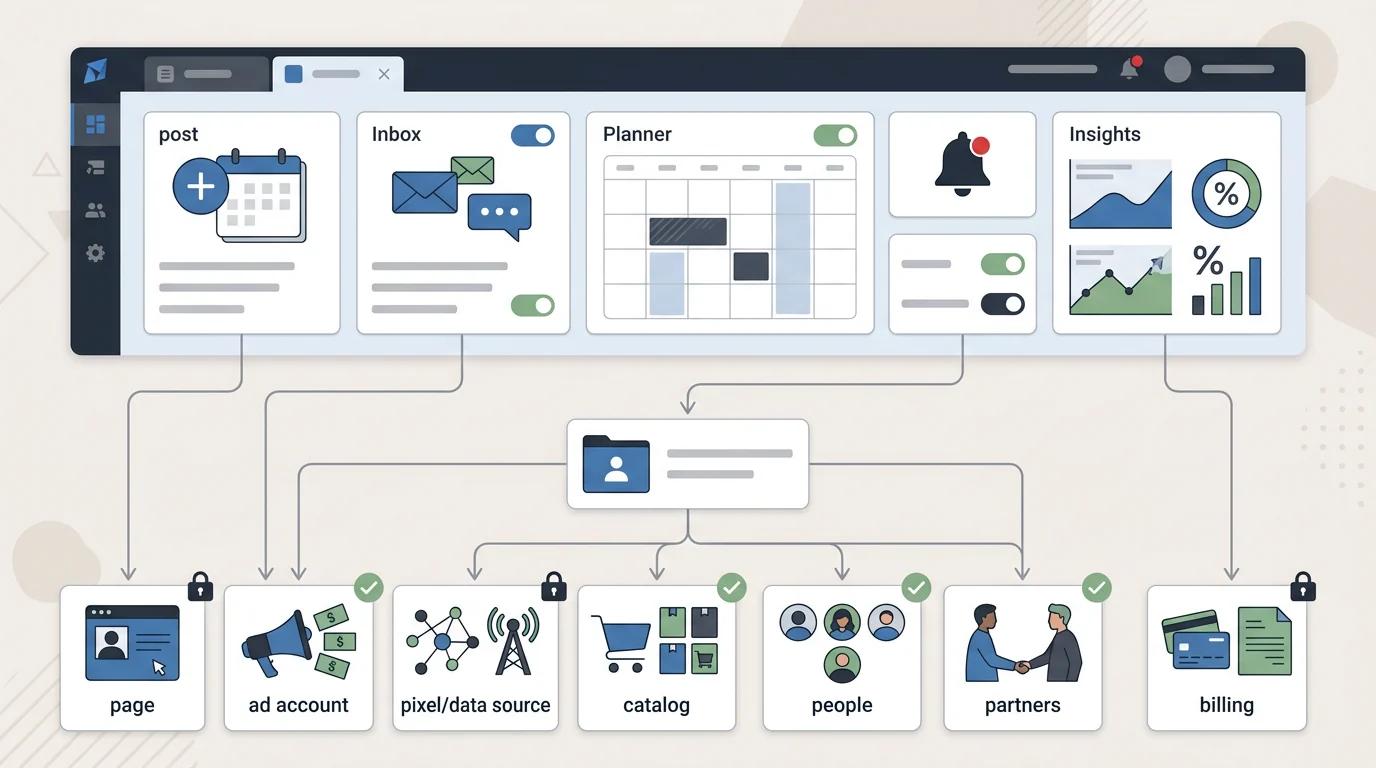
Meta Business Suite is the place you go to do day-to-day work: publish posts, schedule content, reply to messages, check notifications, and look at basic Facebook and Instagram performance.
Meta Business Manager is the older name people still use for Meta’s admin and permissions layer. In newer screens, that layer is usually shown as Business Portfolio or business settings. This is where ownership and access live: Pages, ad accounts, pixels, datasets, catalogs, people, partners, payment settings, and asset permissions.
The confusing part is that Meta sends users through the same business.facebook.com starting point, uses similar-looking screens, and does not give every asset one universal access level. You can be able to post to a Page in Business Suite and still not have access to the ad account, pixel, catalog, or Business Portfolio an agency needs.
Meta Business Suite vs Business Manager: quick comparison
| Area | Meta Business Suite | Business Manager / Business Portfolio |
|---|---|---|
| Main purpose | Day-to-day Facebook and Instagram management | Business asset ownership, permissions, and admin setup |
| Best for | Posting, scheduling, inbox, notifications, basic insights | Pages, ad accounts, pixels, catalogs, people, partners, billing, and access |
| Pages | Manage posts, messages, and Page activity | Control Page ownership and asset-level permissions |
| Instagram accounts | Manage connected Instagram activity | Connect and assign Instagram account access |
| Ad accounts | Basic ad views and lighter ad workflows | Ad account ownership, sharing, billing, and permissions |
| Pixels / datasets | Not the main place to manage them | Used to assign and troubleshoot data source access |
| Billing | Limited day-to-day visibility | Billing setup usually lives with ad account/business settings |
| Partner access | Not the best place to manage agency access | Add partner businesses and assign assets |
| Content scheduling | Yes | No, not the normal workflow |
| Inbox | Yes | No, not the normal workflow |
| Mobile app | Yes | Limited compared with Suite |
| Agency use | Useful if the agency manages organic social/inbox | Essential for paid media, pixels, catalogs, and client asset access |
What is Meta Business Suite?
Meta Business Suite is the workspace for managing Facebook and Instagram activity. It is built for the work a social media or marketing team does every week: creating posts, scheduling content, replying to messages, checking notifications, and reviewing performance.
Meta's own help docs describe creating Page posts from Business Suite, and the same workspace is also used for scheduling posts, managing the planner, and reviewing Page post insights.
That makes Business Suite useful for:
- Creating and scheduling Facebook Page content
- Managing Facebook and Instagram messages from one inbox
- Reviewing content, reach, engagement, and audience insights
- Managing basic Page activity without jumping between tools
- Giving task-based users a place to do content and community work
For many business owners, Business Suite feels like "the Meta account" because it is the screen they recognize. They can post, reply, and check performance there, so it feels like the main control center.
But Business Suite is not the full permission system. It is the working dashboard on top of the account structure. That distinction matters when another person, agency, contractor, or platform needs access.
What is Meta Business Manager?
Meta Business Manager is the older name many marketers still use for Meta’s business admin layer. It was the place where businesses organized Pages, ad accounts, people, partners, pixels, catalogs, and payment settings.
The practical job has not gone away, but the naming has changed. In current Meta screens, many of these settings now appear under Business Portfolio, business settings, Page access, or asset-specific permissions. People still search for "Business Manager" because that is the name agencies, clients, and older help content have used for years.
Business Manager / Business Portfolio is where agencies and admins usually deal with:
- Facebook Pages
- Instagram accounts
- Ad accounts
- Pixels and datasets
- Product catalogs
- People and partner businesses
- Payment methods and billing permissions
- Asset-level permissions
This is the part clients often do not know exists until something breaks. They may have full control of a Facebook Page but not access to the Business Portfolio. Or they may see an ad account but not own the pixel. Or the Instagram account, Page, and ad account may sit under different owners.
What is Business Portfolio?
Business Portfolio is Meta’s newer way of describing the business container that holds assets and permissions. In plain English, it is the business-level account structure behind the tools.
A Business Portfolio can contain assets like Pages, Instagram accounts, ad accounts, pixels, datasets, catalogs, and users. It can also be connected to partner businesses, which is how an agency should usually be granted access to client assets.
This is why the naming gets messy. A client may say "Business Manager," Meta may show "Business Portfolio," and an agency may ask for "business settings." In many access conversations, they are talking about the same admin layer: the place where the business owns assets and decides who can use them.
The important thing is not the label on the screen. The important thing is whether the right client-owned portfolio controls the Page, ad account, pixel, catalog, and partner permissions.
Business Suite vs Business Manager vs Ads Manager
Many people are not only choosing between Business Suite and Business Manager. They are also trying to work out where Ads Manager fits. The simplest way to think about it is this:
| Tool | What it is for | When you use it |
|---|---|---|
| Meta Business Suite | Organic social workspace | Posting, inbox, scheduling, notifications, basic insights |
| Business Manager / Business Portfolio | Business asset and permission system | Ownership, users, partners, ad accounts, pixels, catalogs, billing access |
| Ads Manager | Campaign management tool | Creating, editing, analyzing, and managing paid campaigns |
If you are running ads, Ads Manager is where campaign work happens. Business Manager or Business Portfolio decides whether you have access to the ad account, Page, pixel, catalog, and billing setup needed to run those campaigns. Business Suite may still be useful if you also manage the client’s organic content or inbox.
Why people get lost in Meta’s account setup
Meta does not have one simple "business account" with one universal admin switch. It has personal profiles, Pages, Instagram accounts, ad accounts, pixels, datasets, catalogs, Business Portfolios, partners, and roles. Access to one does not automatically mean access to the others.
That is why someone can honestly say, "I have full control," and still be missing the permission your agency needs. Full control of a Page is not the same as full control of a Business Portfolio. Access to Business Suite is not the same as access to Ads Manager. Seeing an ad account in one screen does not always mean it is correctly connected to the Page, pixel, catalog, or partner.
The most common source of confusion is that clients think about what they can see, while agencies need to know what the business owns and what has been shared. Those are not always the same thing.
Agency workflow: how client access should work
For marketing agencies, the biggest struggle is getting clients to provide access to the right assets in the right place. A client might have access to Business Suite and still not be able to share the ad account. They might be an admin on the Page but not have access to the Business Portfolio. They might be able to see campaigns in Ads Manager but not know who owns the pixel or catalog.
A cleaner agency workflow usually looks like this:
- The client owns the Business Portfolio, Page, Instagram account, ad account, pixel or dataset, and catalog wherever possible.
- The agency is added as a partner business rather than being given someone’s personal Facebook login.
- The client assigns the agency access to each required asset: Page, Instagram account, ad account, pixel or dataset, catalog, and any relevant permissions.
- The agency uses Ads Manager for campaign work, Business Suite only if it also manages organic social or inbox, and Business Portfolio/business settings for access troubleshooting.
- Before launching, the agency confirms that billing, pixel/dataset access, Page access, and ad account permissions are all working.

This is also why email instructions often fail. "Go into Business Manager and add us as a partner" sounds simple to an agency, but the client may land in Business Suite, Ads Manager, Account Center, or the wrong portfolio before they ever find the right screen.
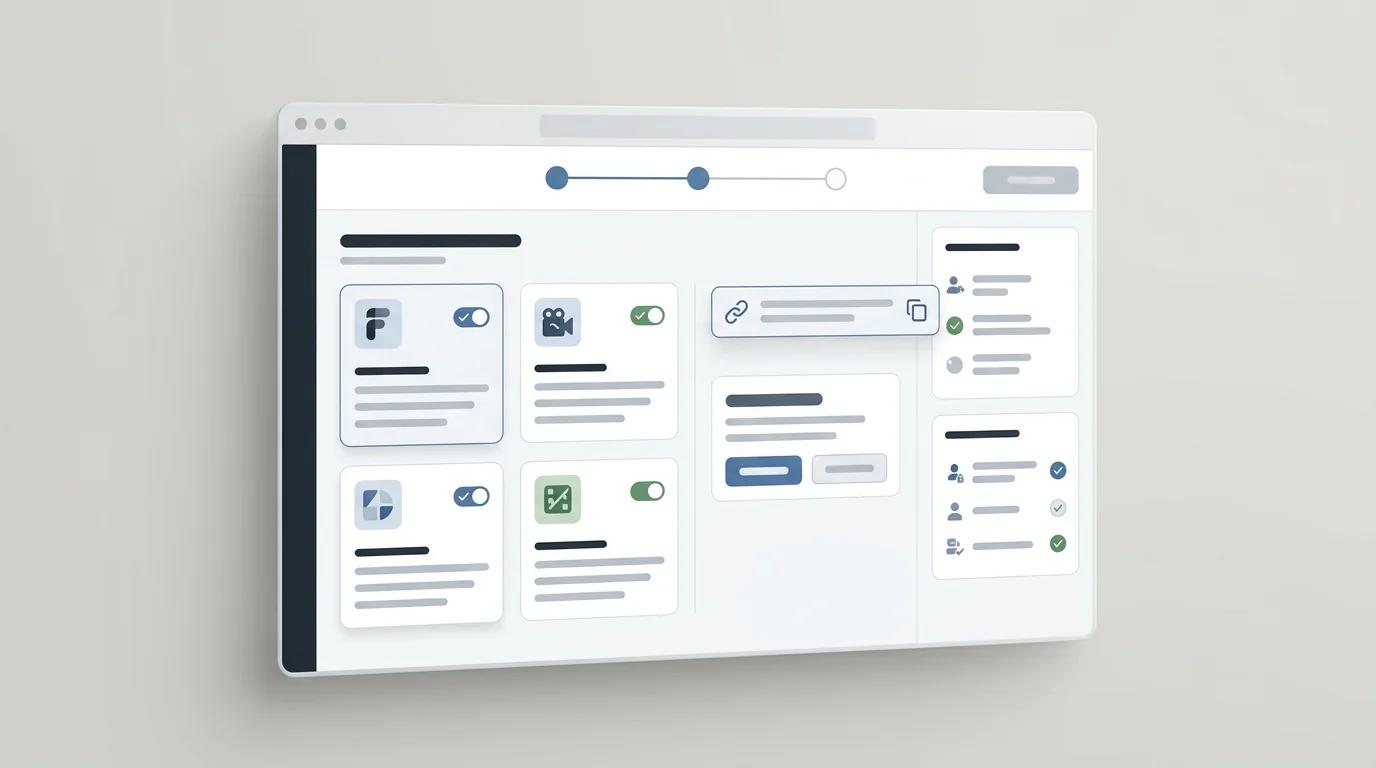
AgencyAccess lets agencies send one onboarding link, choose the Meta assets they need, and see what has been connected. The client does not need to know whether the permission lives in Business Suite, Business Manager, Ads Manager, or Business Portfolio settings. They just follow the guided flow. Learn more about Meta onboarding for agencies.
Common mistakes when giving an agency Meta access
Creating assets under the agency’s Business Portfolio
If the agency creates the Page, ad account, pixel, or catalog inside its own Business Portfolio, the client may not truly own the asset. That can create problems later if the relationship ends or the client changes providers. In most cases, the client should own the assets and share access with the agency.
Requesting employee access instead of partner access
Agencies should usually be added as a partner business, not as a random person on the client’s account. Partner access keeps the agency relationship cleaner and avoids mixing business access with someone’s personal Facebook profile.
Only granting Page access
Page access is not enough for most paid media work. The agency may also need the ad account, pixel or dataset, catalog, Instagram account, and billing-related permissions.
Forgetting the pixel or dataset
Campaign setup can look complete until conversion tracking fails. If the agency cannot access the correct pixel or dataset, reporting, optimization, and retargeting can break.
Confusing Ads Manager visibility with ownership
Seeing an ad account in Ads Manager does not always mean the business owns it or can share it correctly. Ownership and sharing usually need to be checked at the Business Portfolio or business settings level.
Asking for personal login details
Do not ask clients for their personal Facebook login. It is insecure, hard to audit, and unnecessary. Use partner access and asset-level permissions instead.
Frequently asked questions
Is Meta Business Manager the same as Meta Business Suite?
No. Meta Business Suite is the workspace for managing Facebook and Instagram activity. Business Manager, now commonly surfaced through Business Portfolio or business settings, is the admin system for managing business assets, users, partners, and permissions.
Did Meta Business Manager become Business Portfolio?
In many current Meta screens, the work people used to associate with Business Manager now appears under Business Portfolio or business settings. The term Business Manager is still widely used by agencies and clients, so both names matter when explaining access.
Do I need both Business Suite and Business Manager?
If you only publish posts and answer messages, Business Suite may be enough. If you run ads, work with an agency, manage multiple assets, or need partner access, you will usually need Business Manager or Business Portfolio settings too.
Where do I give an agency access?
In most cases, the client should add the agency as a partner business and assign the specific assets the agency needs: Page, Instagram account, ad account, pixel or dataset, catalog, and relevant permissions.
Is Ads Manager part of Business Suite?
Ads Manager is a separate campaign management tool. Business Suite may show some ad-related views, but Ads Manager is where paid campaigns are created, edited, and analyzed in more detail. Business Manager or Business Portfolio controls whether you have access to the assets Ads Manager needs.
Can I manage Instagram from Business Manager?
Business Manager or Business Portfolio can help connect and assign access to an Instagram account. Day-to-day Instagram posting, messages, and content workflows usually happen in Business Suite.
Which tool should an agency ask clients to use?
Agencies should ask for the required assets, not just a tool name. A client may not know whether the setting lives in Business Suite, Business Manager, Business Portfolio, or Ads Manager. The clearer request is: please grant access to the Page, Instagram account, ad account, pixel or dataset, catalog, and partner permissions.
Final verdict
Meta Business Suite vs Business Manager comes down to workspace versus access control. Business Suite is where the day-to-day work happens: posts, messages, scheduling, notifications, and basic insights. Business Manager, now often represented by Business Portfolio or business settings, is where the underlying structure lives: ownership, users, partners, ad accounts, pixels, catalogs, billing, and permissions.
If you are a business owner managing your own content, you may spend most of your time in Business Suite. If you are an agency trying to run campaigns for a client, you need to care about Business Manager and Business Portfolio because that is where missing assets and permissions usually live.
The safest approach is to start with the assets you need, not the tool name. Confirm the Page, Instagram account, ad account, pixel or dataset, catalog, and partner permissions before campaign work begins. For a related walkthrough, read how to give access to a Facebook Page and ad account.